
TillConnect features
Every part of service, connected.
From the first product tap to the kitchen, customer receipt, stock record and management report, TillConnect keeps the operational journey together.
Book a tailored demo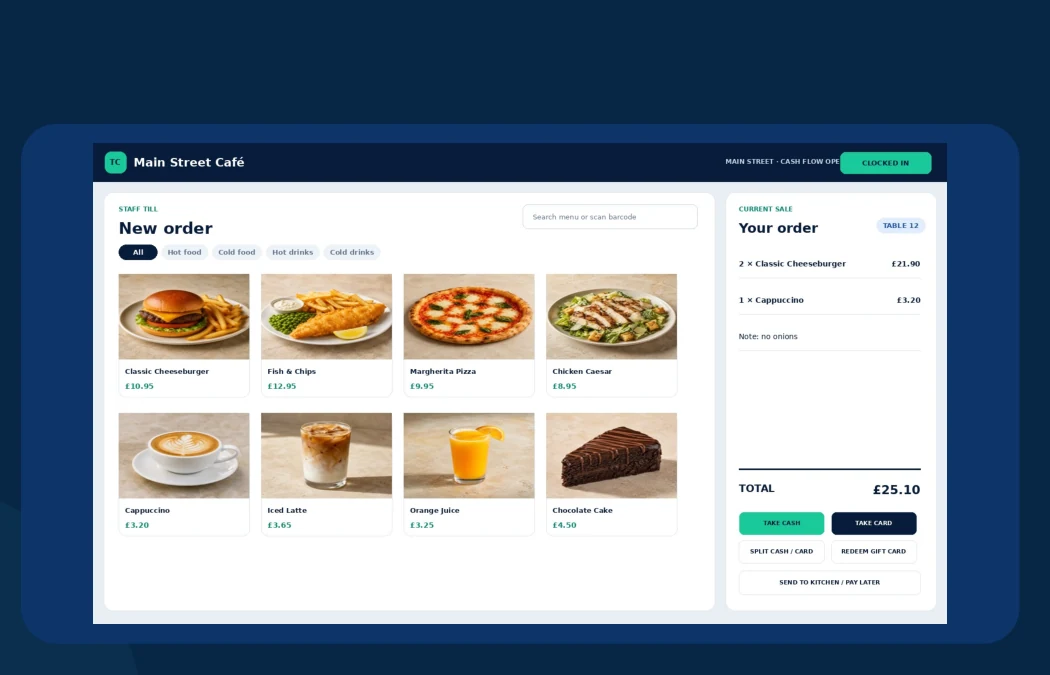
Serve & sell
From order to kitchen in fewer steps.
Give staff a clear selling journey while the right details reach the customer, kitchen and end-of-day record.
01Quick product entryProduct tiles, category filters, search and barcode entry.
02Clear basketsQuantities, notes, tables, discounts and customer context.
03Flexible payment momentsCash, card confirmation, split tender, gift cards and pay later when configured.
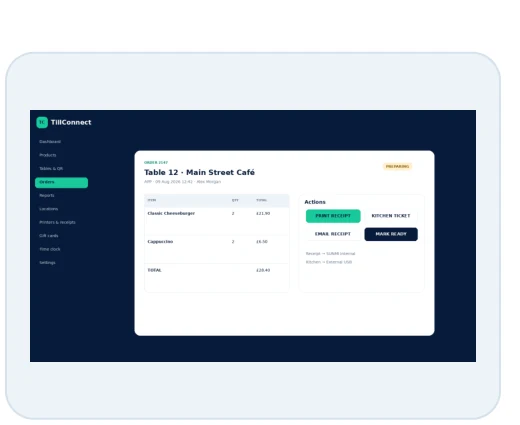
04Practical outputsCustomer receipt, email receipt and kitchen ticket routes.

Kitchen display
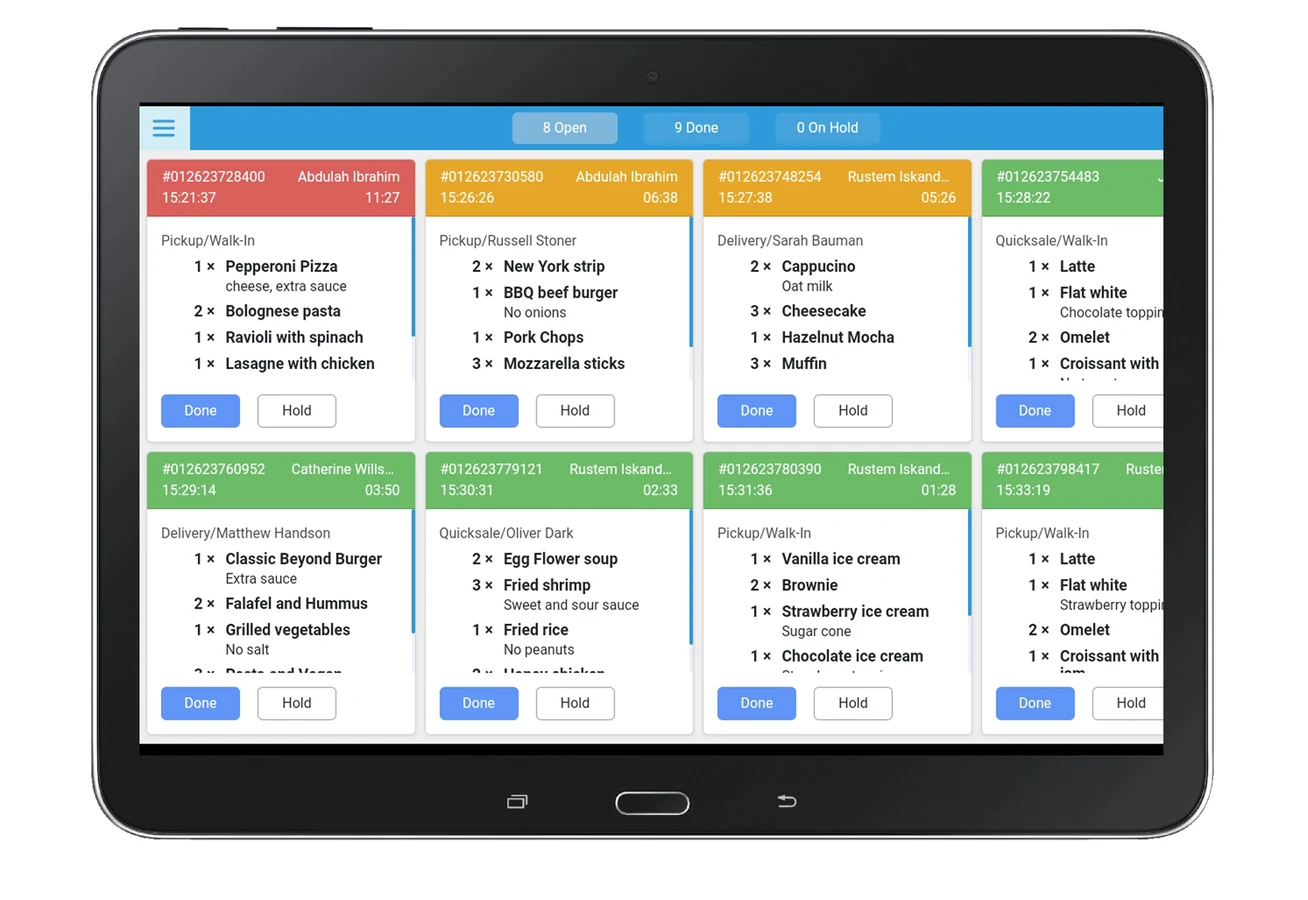
Live tickets without the paper chase.
Open, prepare, hold and complete orders from a screen designed for a busy service environment.
- Live status lanes and ticket timers
- Table, customer, source and staff context
- Allergy, dietary and order-note visibility
- One-tap progress actions
Stock control
Direct quantities and measured containers.
Track ordinary product stock or link multiple measured sale items to one parent container.
Source containerVodka bottle
1,000ml → 275ml
→
→
!Low stock warningRefill or adjust from admin
Automatic deductions
Every mapped sale reduces the correct source amount.
Combined checks
The order is checked against total required container stock.
Movement history
Sales, refills and manual adjustments remain visible.
Low-stock signs
Threshold-based alerts help the team react before stock runs out.
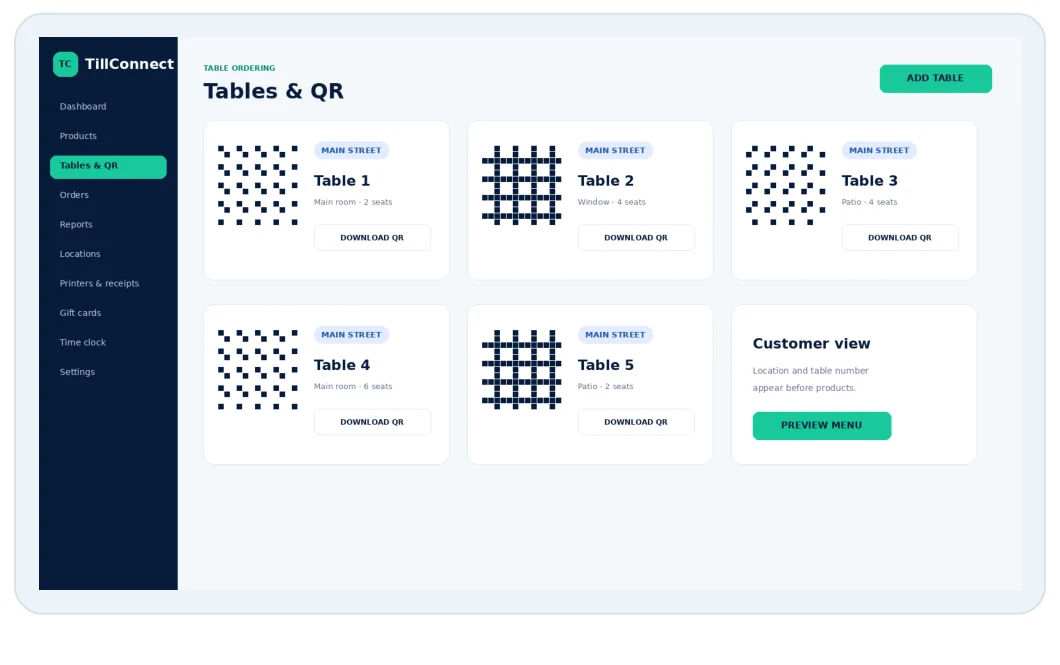
QR and displayTable QR ordering TV menu display
Customer-facing journeys that stay connected to products.
Use location-aware table QR codes for ordering and a secure TV URL for a customer-facing product display.
Branded browsing, table context, contact and allergy confirmation, and configured payment choices.
Pull active products into an editable screen with category, layout, image and price controls.

Manage & understandLive overviewSales, orders, average order and cash-flow context. Reports to shareDate ranges and practical PDF output. Staff accountabilityRoles, clock in/out and supervisor review. Order historySource, customer, items, tender and output together.
Run the business, not the spreadsheets.
Give authorised managers a live operational view and reports that can be filtered, downloaded and shared.
Scale & configure
Separate operations without creating management silos.
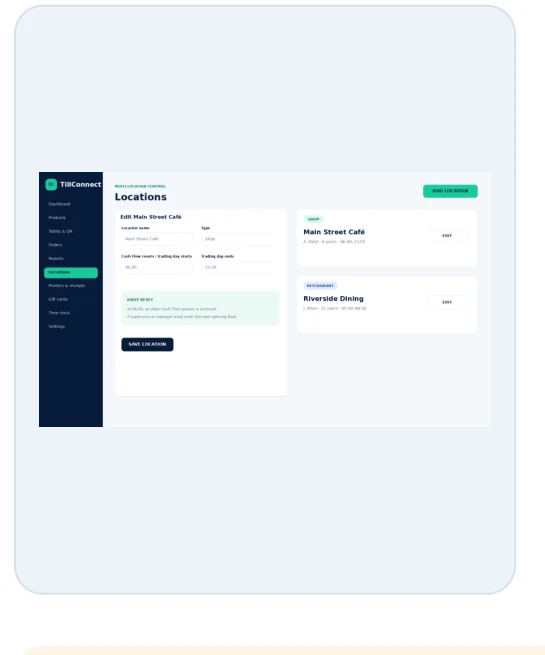
Each business and location can own its users, trading-day settings, tables, tills and printer routes while authorised management retains the appropriate wider view.
- Separate company workspaces
- Location-scoped operational data
- Plans and licence limits
- Till and device provisioning
See it around your business
Book a demoA feature list is useful. A tailored demo is better.
Show us how you take orders, pass work to the kitchen, manage stock and report — and we will map the right TillConnect setup.